Reducing cart abandonment rate by 83% for a meal-prep service
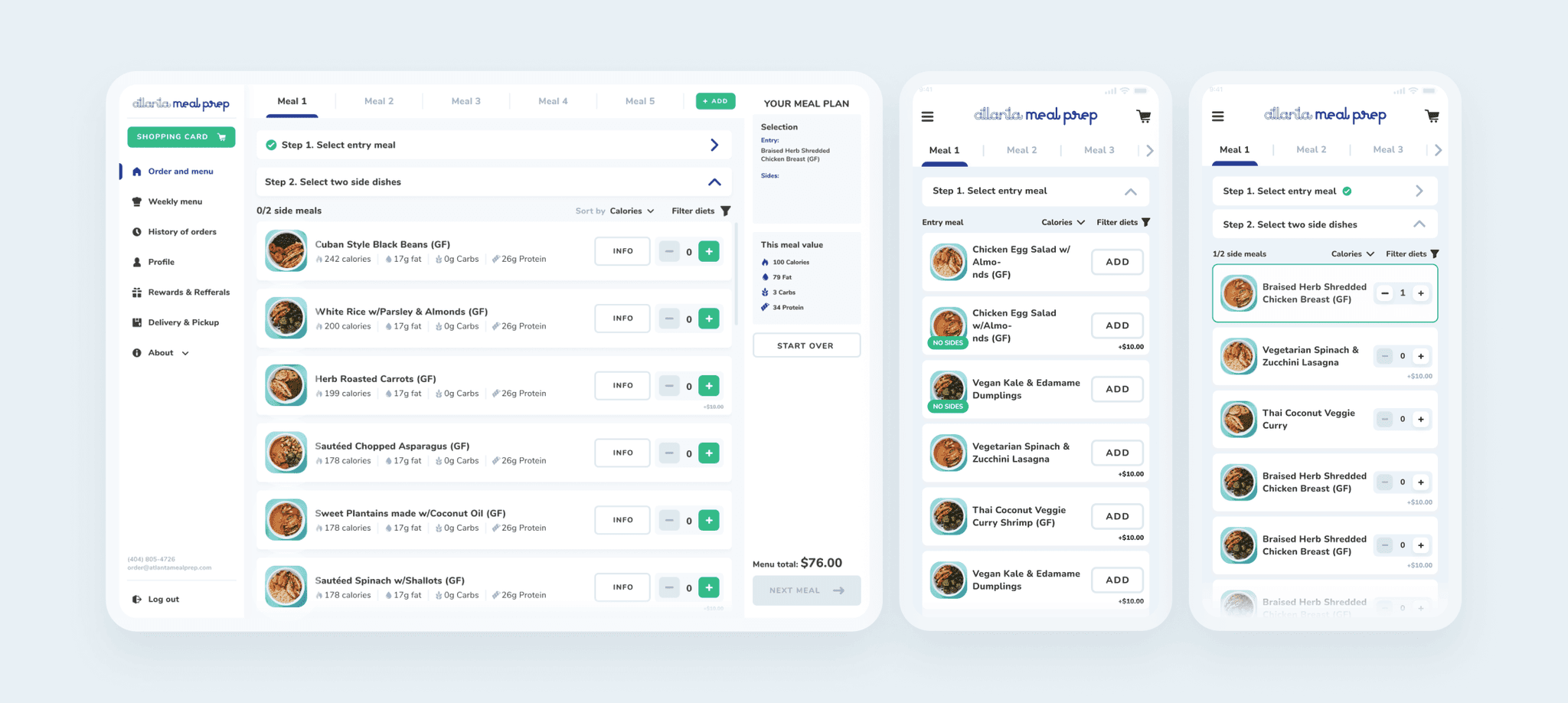
About
Atlanta Meal Prep is a food prep and delivery service in the heart of Atlanta, USA.
PROBLEM STATEMENT
Atlanta Meal Prep’s legacy, clunky, text-heavy, ordering flow frustrates users and fuels cart abandonment, demanding an intuitive mobile-first redesign to turn checkout friction into repeat revenue from satisfied customers.
Impact
I redesigned the service reducing cart abandonment rate by 83% and increased the ordering success rate 4x.
Team
- Product Manager
- Product Designer (me)
- 2 Backend Engineers
- 1 Frontend Engineer
- 1 Graphic Designer
My role
- User discovery
- User research & analysis
- UI/UX design
- Design system
- Usability testing
- Business strategy
Timeline
April - October 2025
Order success rate increased
4x
Decreased cart abandonment rate by
83%
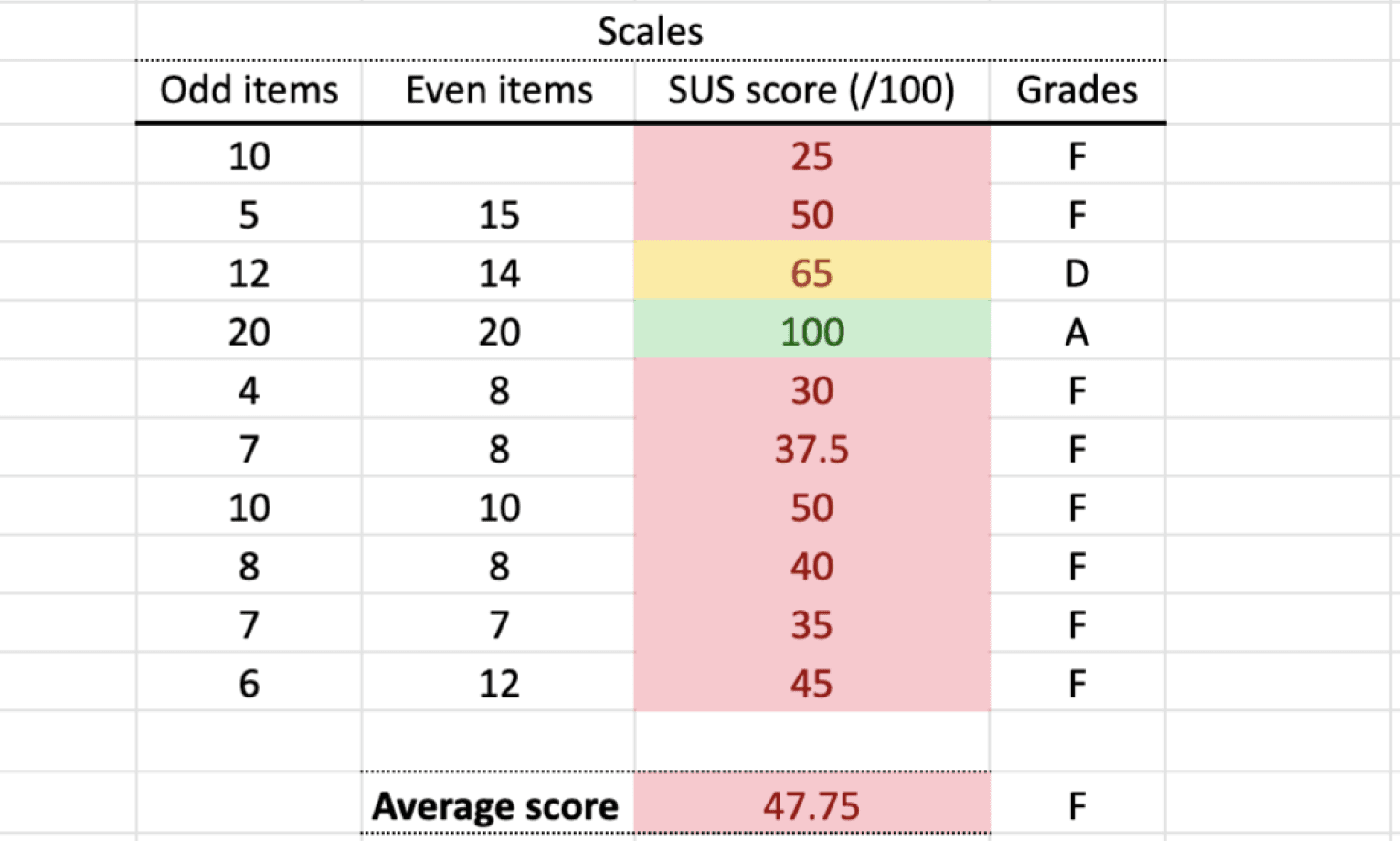
SUS score from 47.25 (F) to
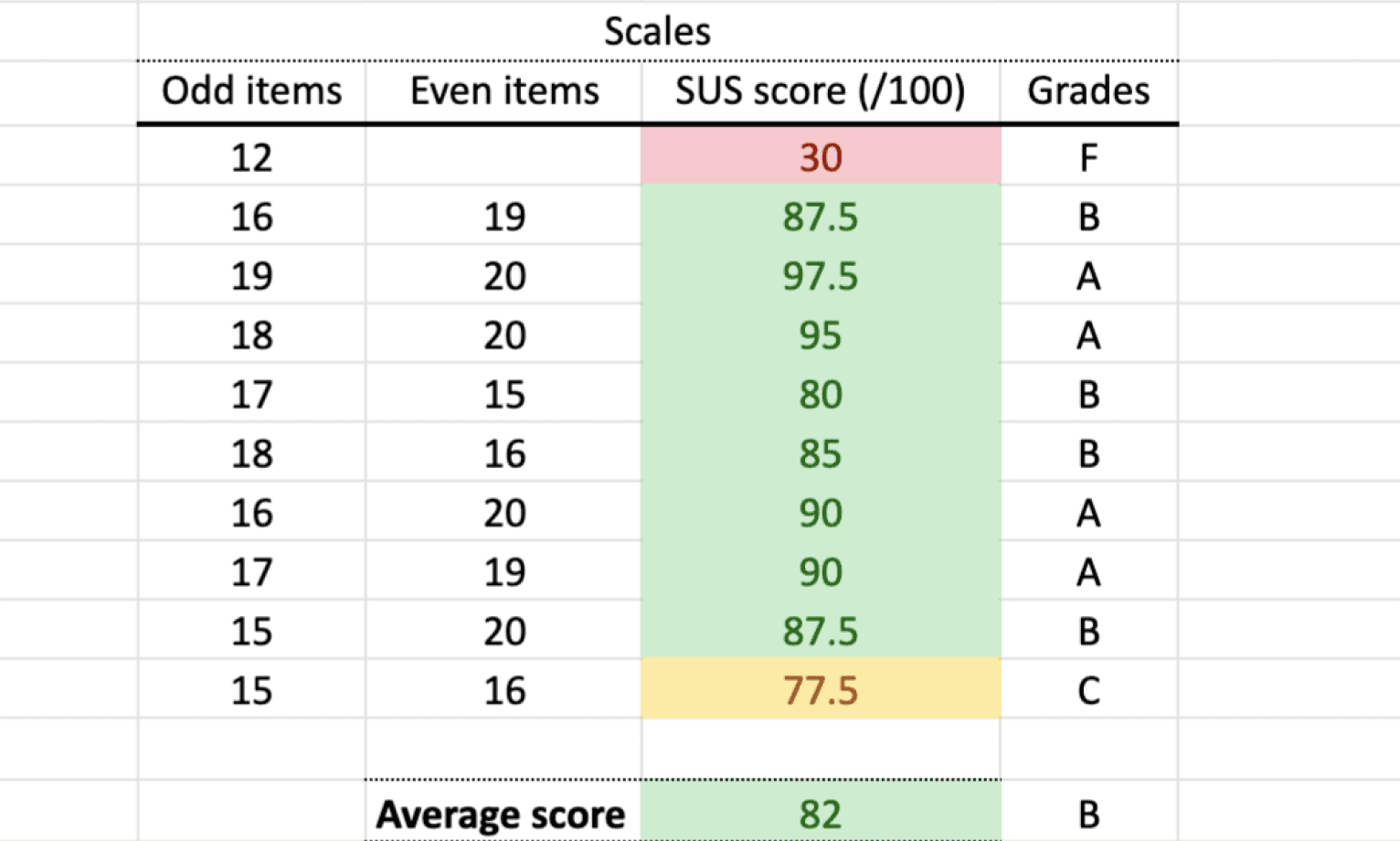
85.8 (A)
Assessing UX before the redesign
Heuristic analysis outlining the key usability problems and improvement opportunities.
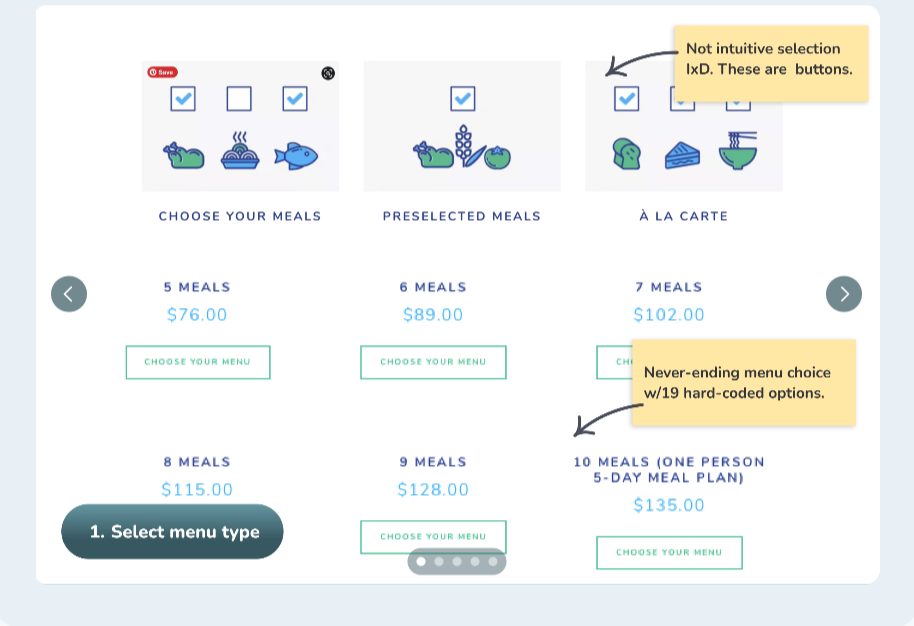
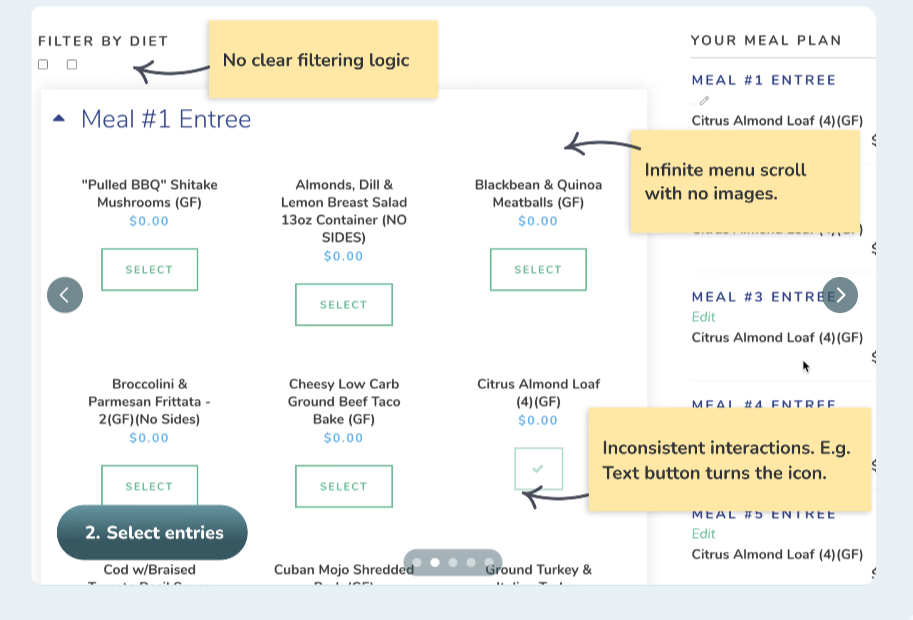
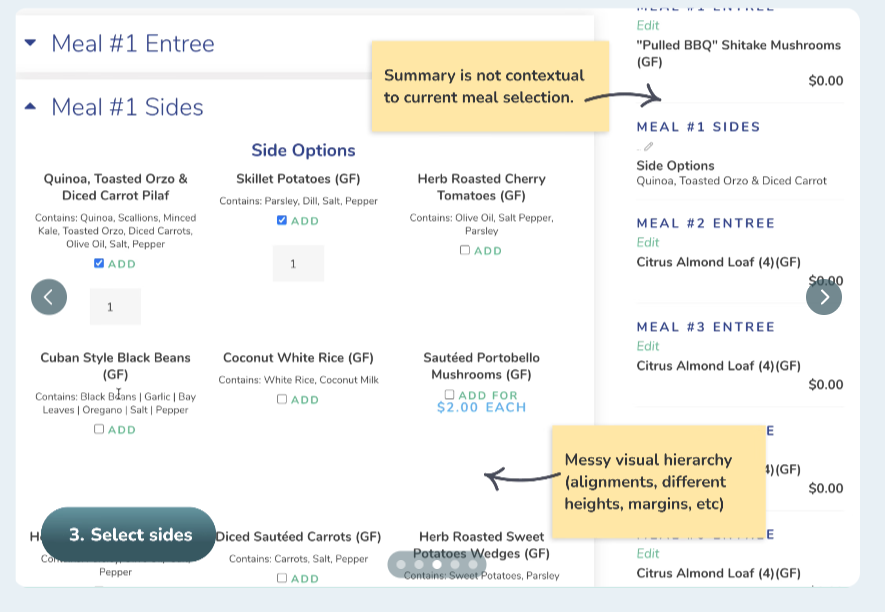
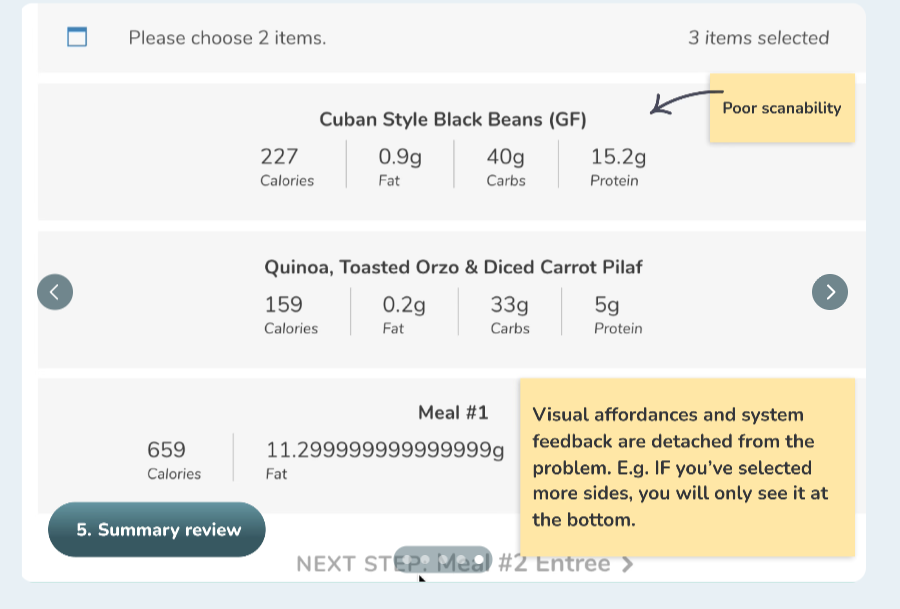
6 areas for improvements
Improve visual hierarchy
Redesign clunky scanning UX
Organize components into a design system
Change a hard-coded menu to a contextual flow
Add affordances and system feedback
Introduce missing features and loyalty
Exploring & designing
Challenge #1
Redesign a menu type selection. 19 hard-coded options to contextual flow.
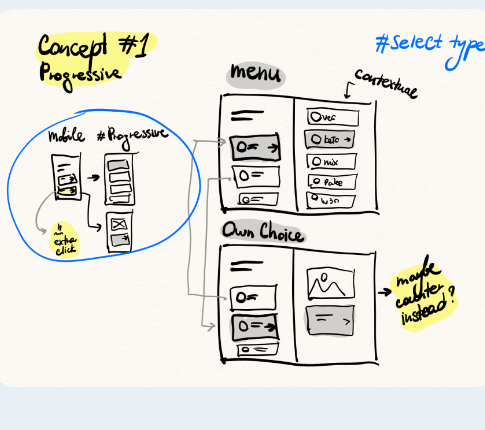
Layout
2 column progressive layout
Logic
Based on the menu type (weekly/custom), the customer sees different submenus.
Concept decision
I landed on a hybrid solution between concepts #1 and #4. Combining the convenience of progressive menu selection, but keeping submenu options in the same left column.
Challenge #2
Redesign an order flow, keep the logic: 1 entry meal + 2 side dishes selection.
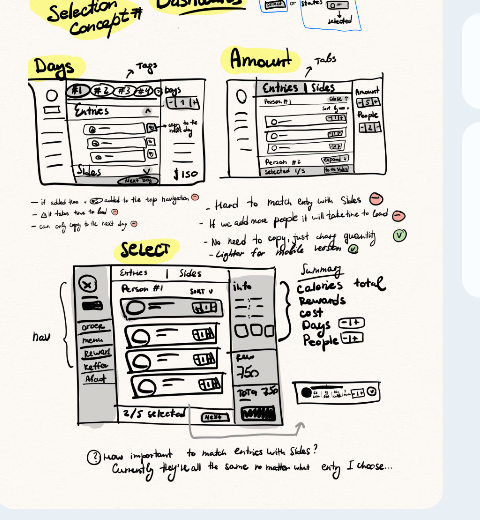
Layout
Top bar + 1 column + Summary
Logic
From a number of meals, guests land on 1 column centered content with accordions for entries/sides. Accordions collapse as soon as the right number of meals is selected.
Decision time
I chose concept #1 because switching tabs between entry meals and side dishes can feel disruptive.
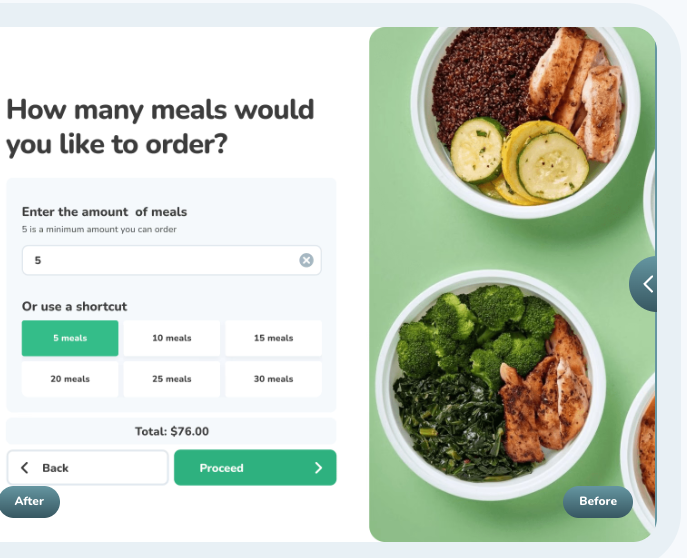
Before/After
Other design details
New features
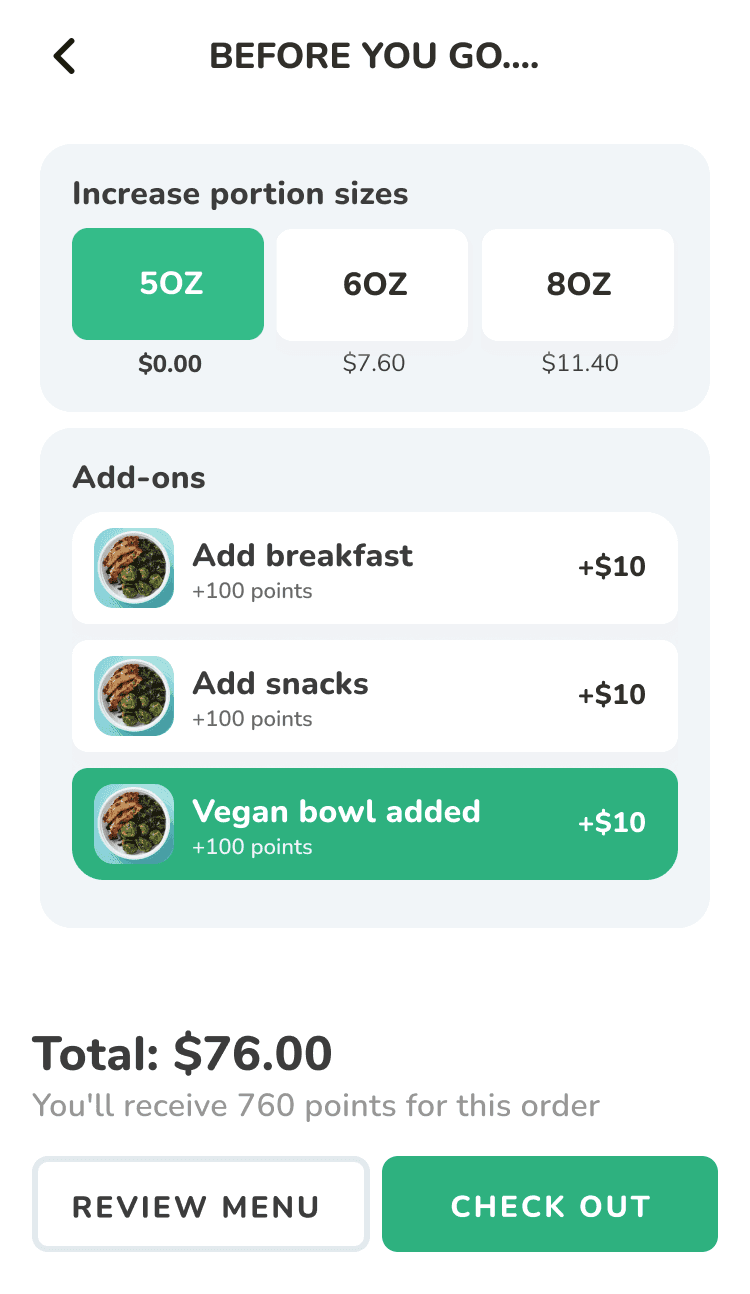
Add-ons before checkout
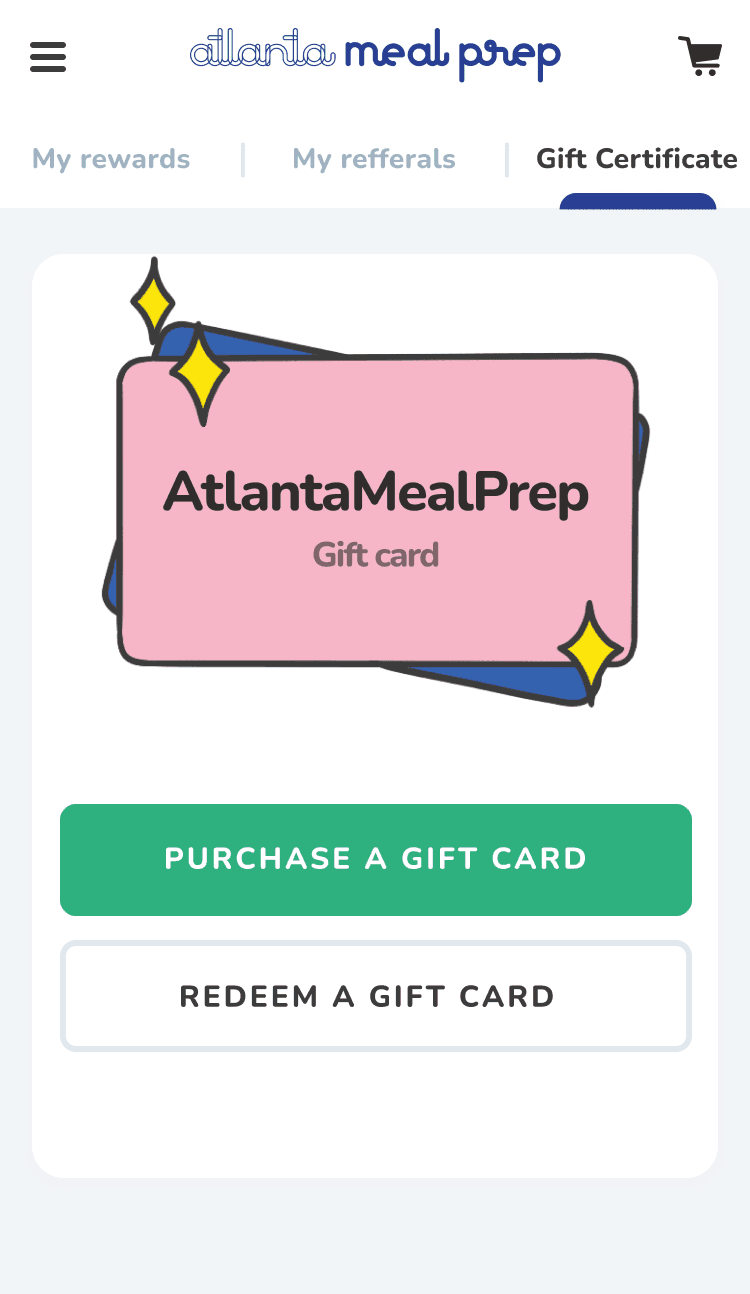
Gift card
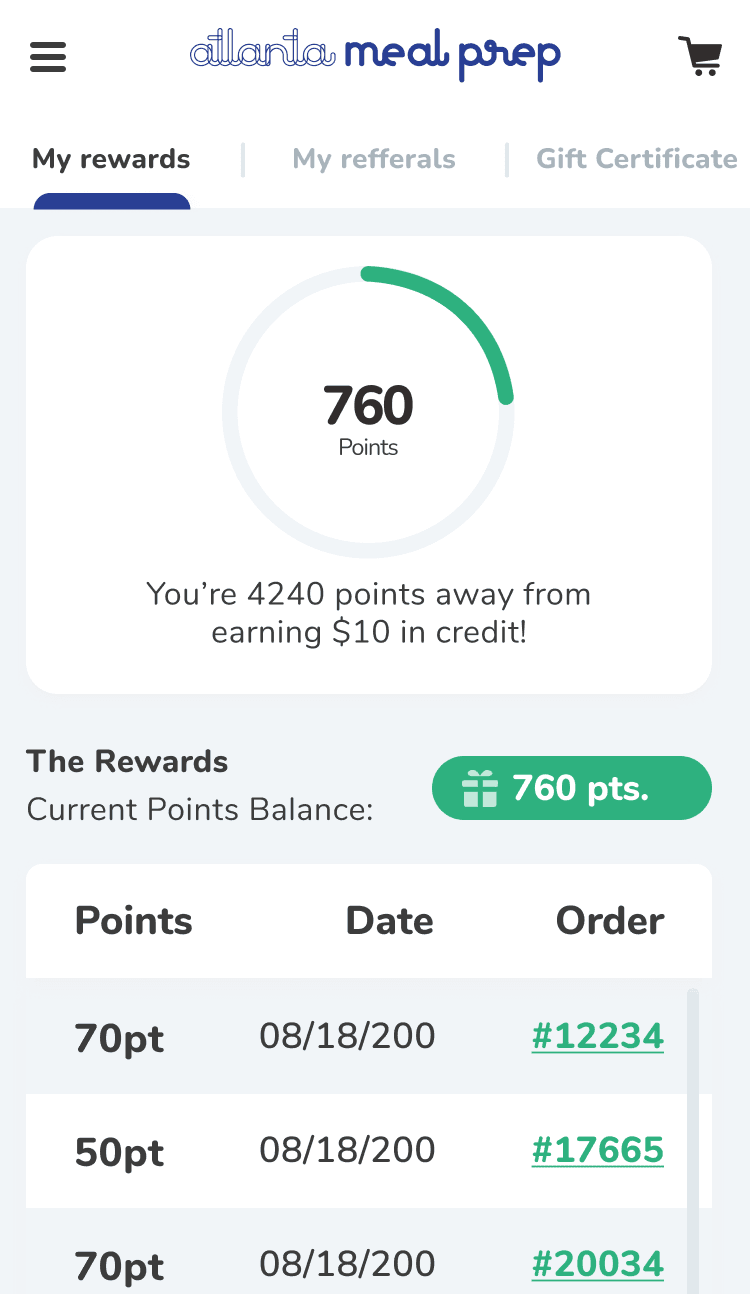
Loyalty program
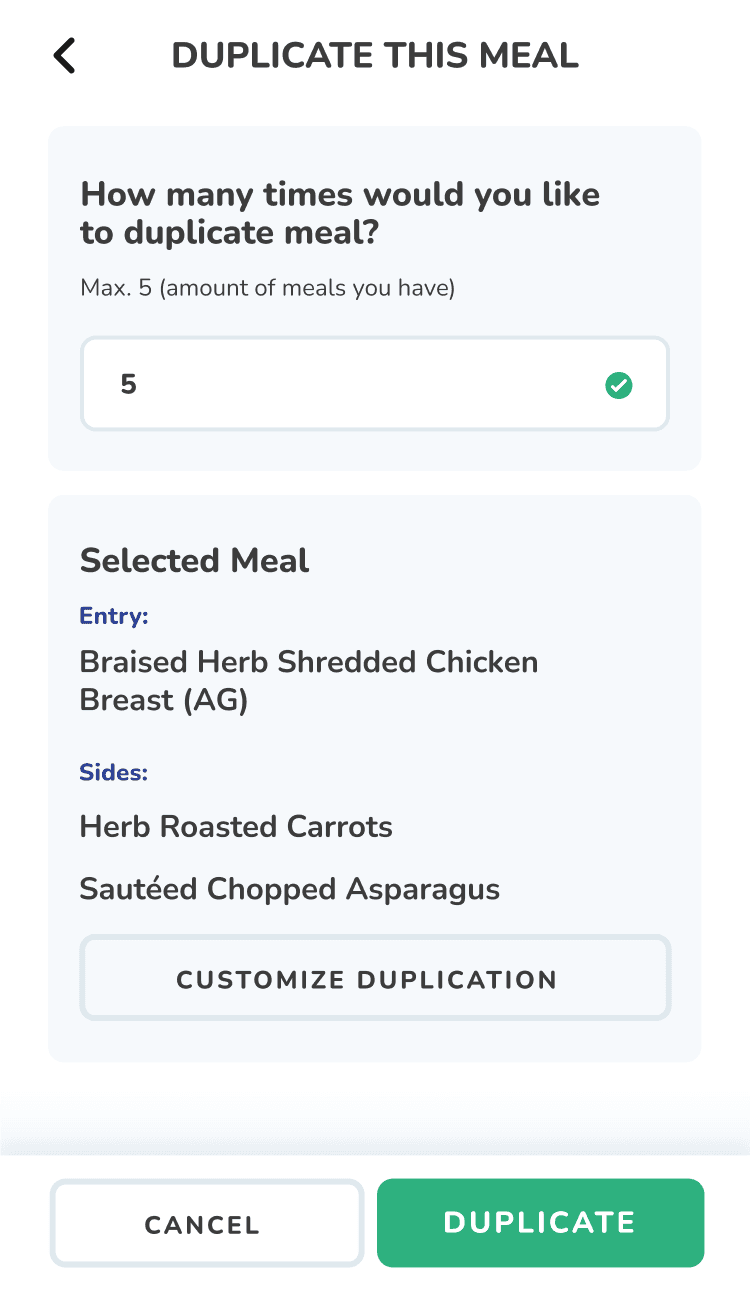
Meals duplication
Unifying design system

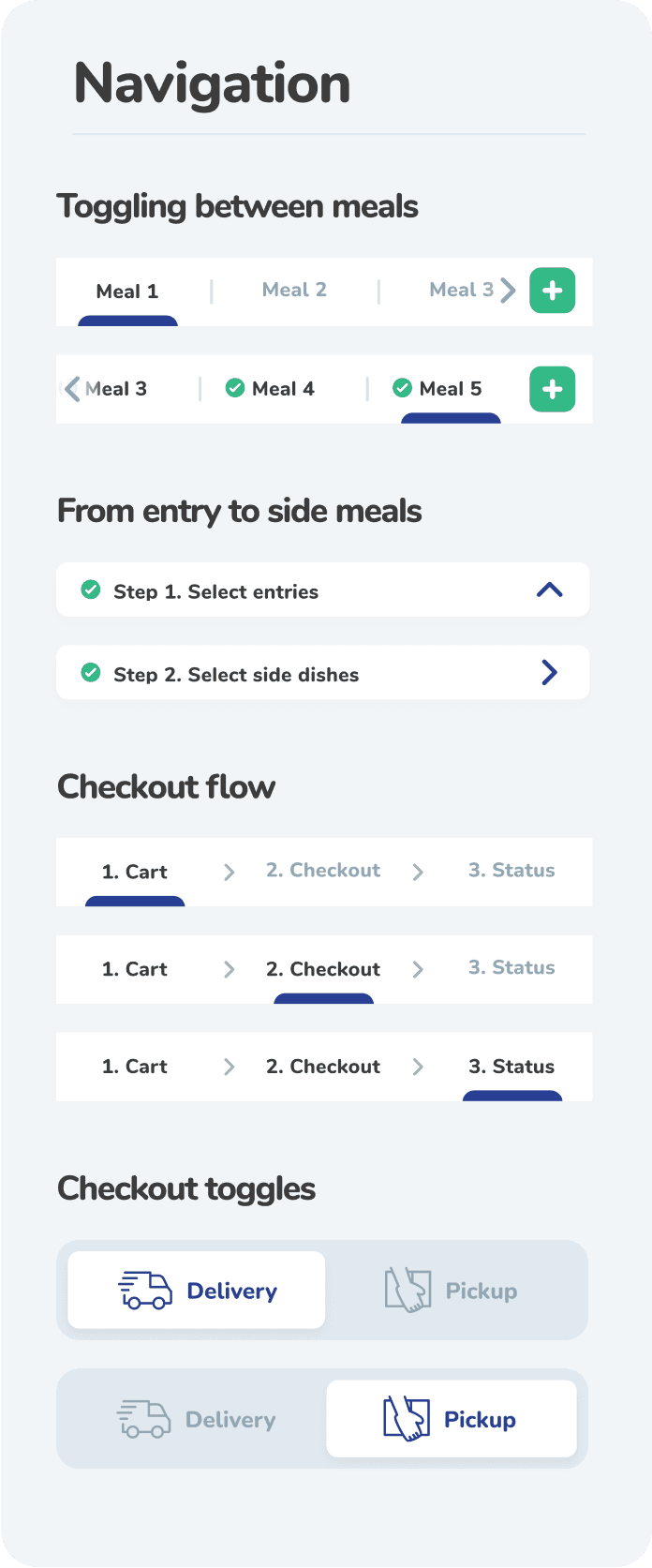
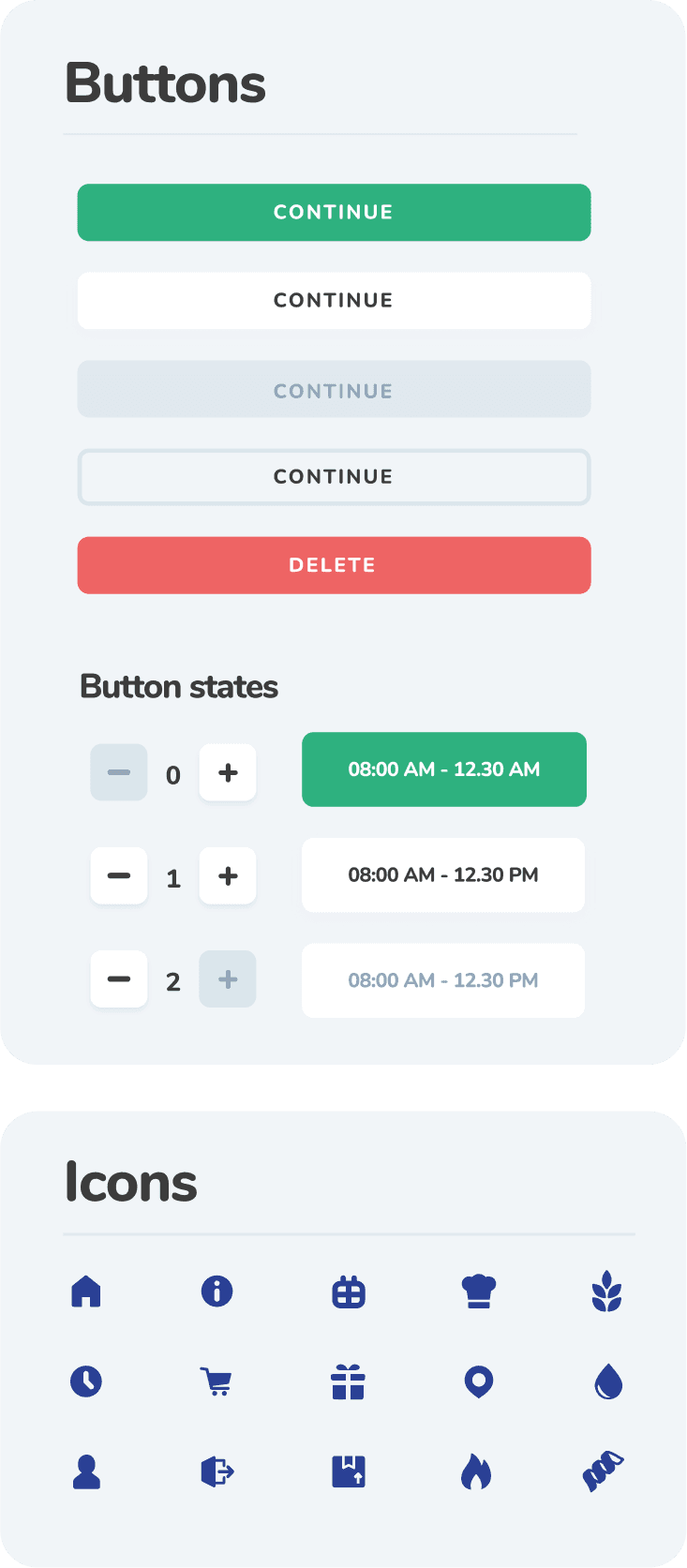
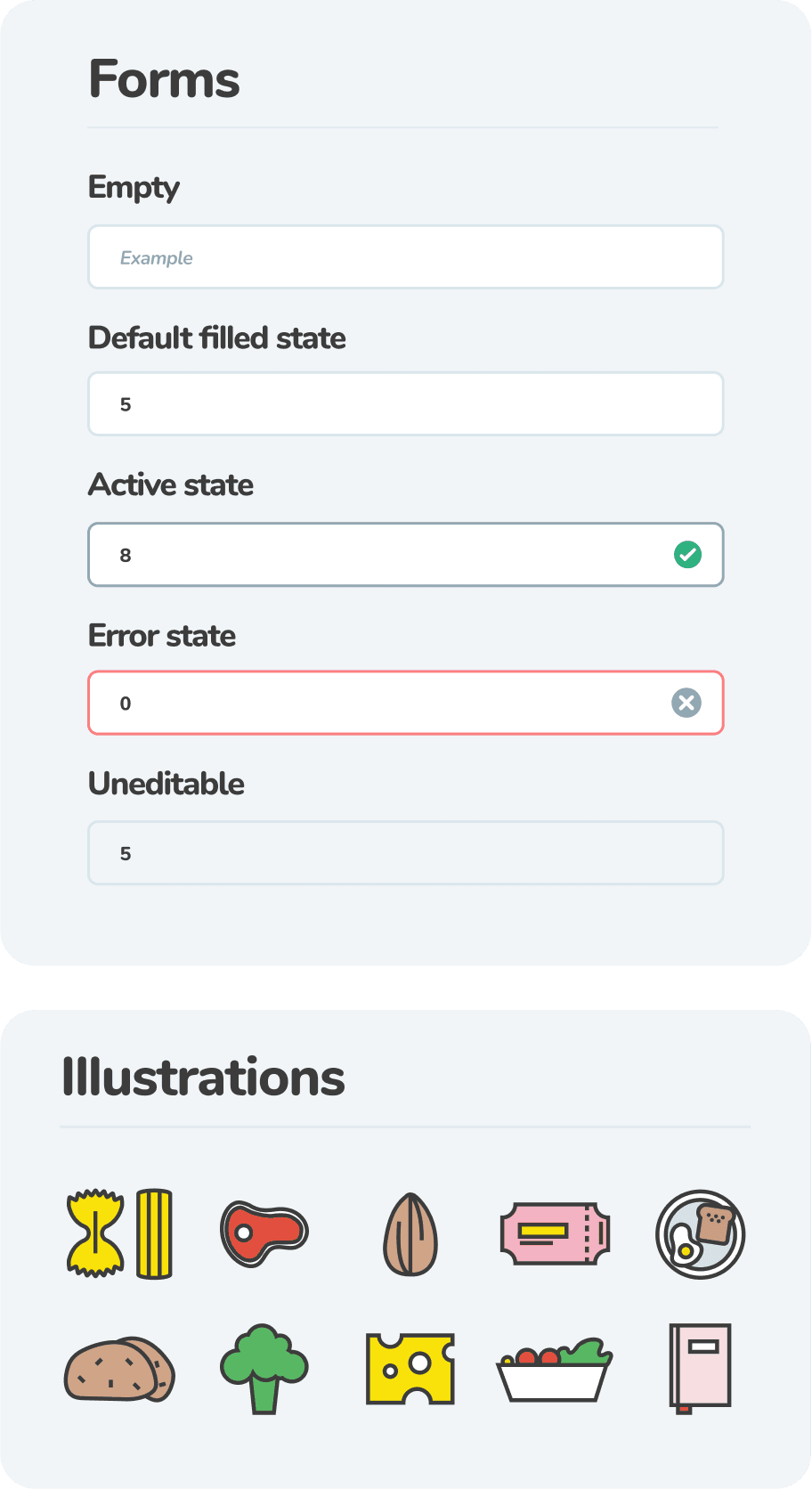
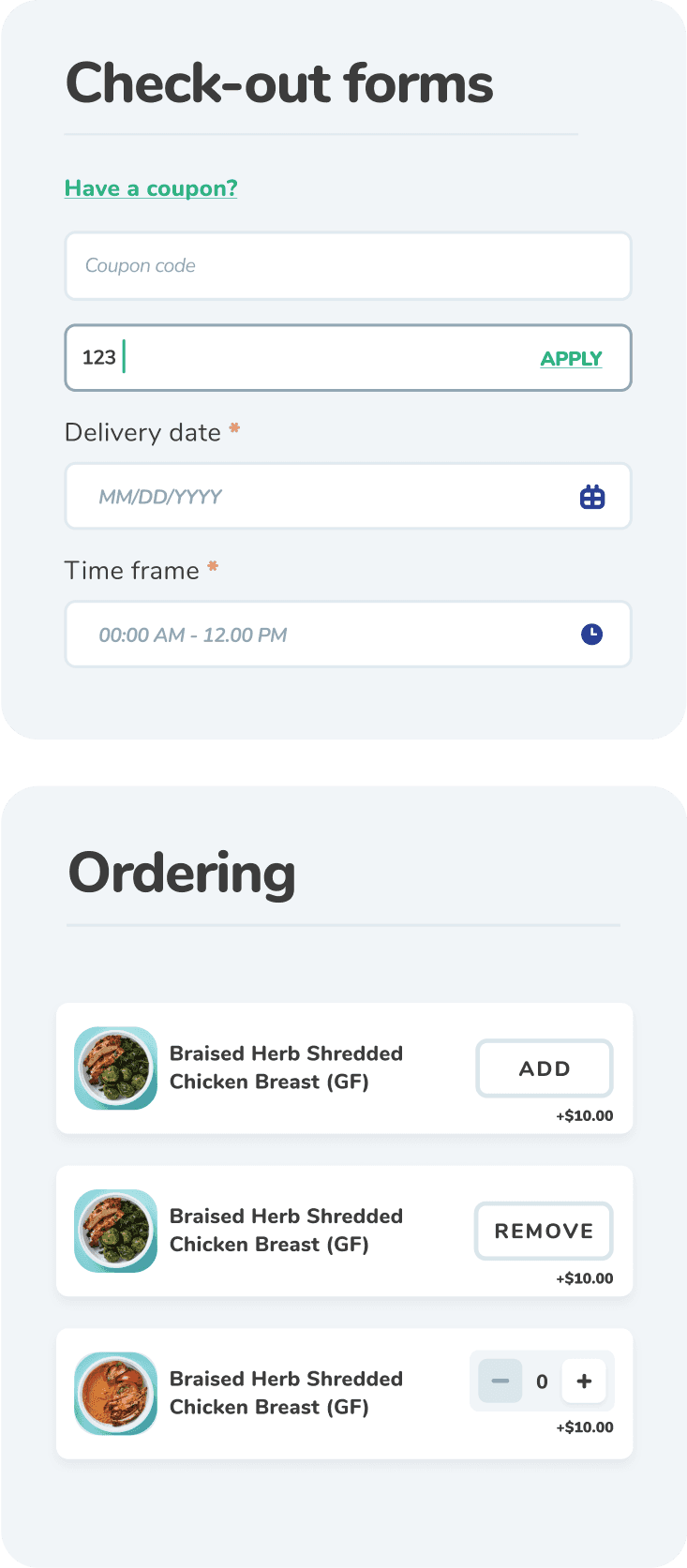
Usability testing insights
Insight #1
A/B testing on mobile navigation
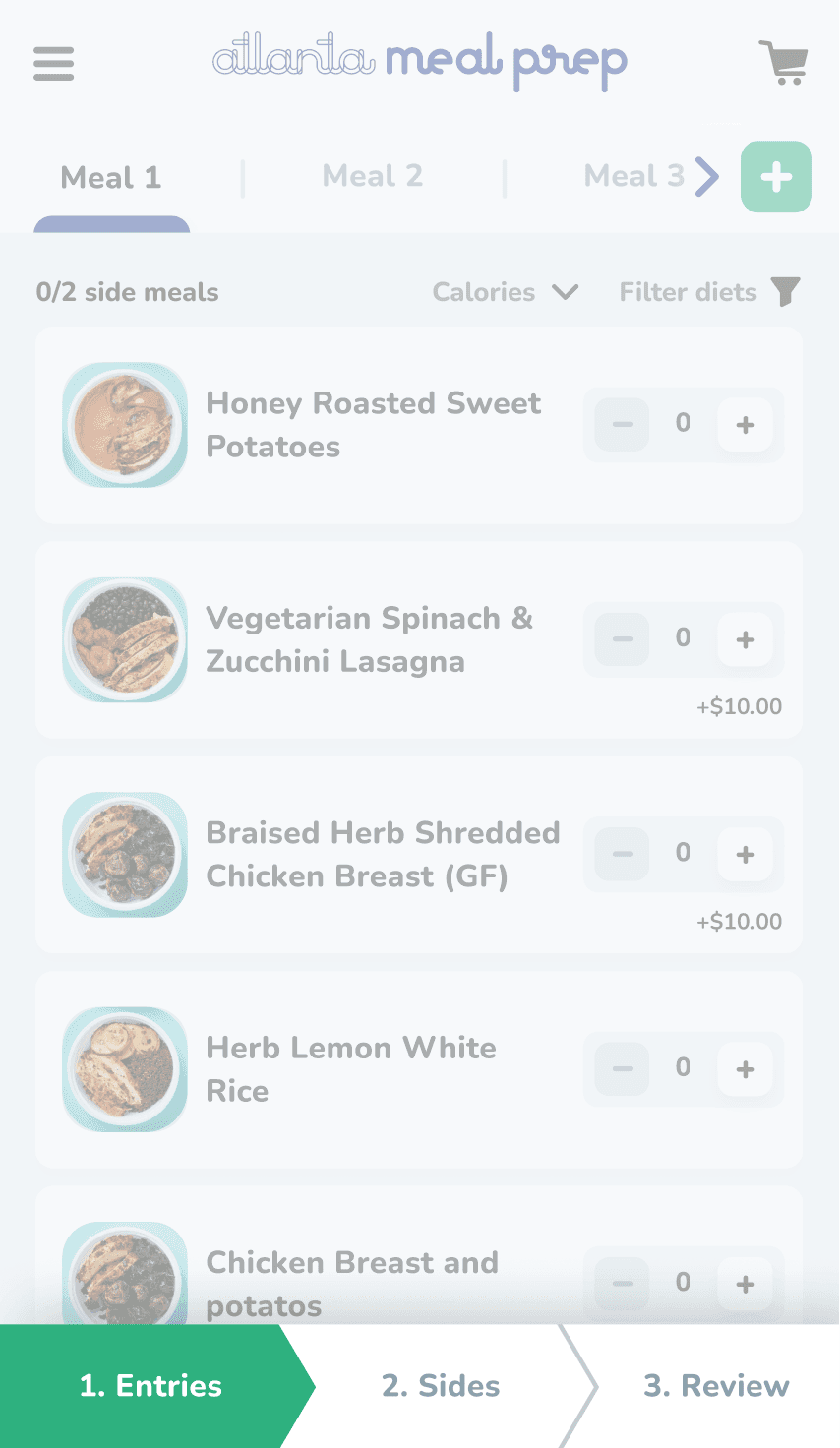
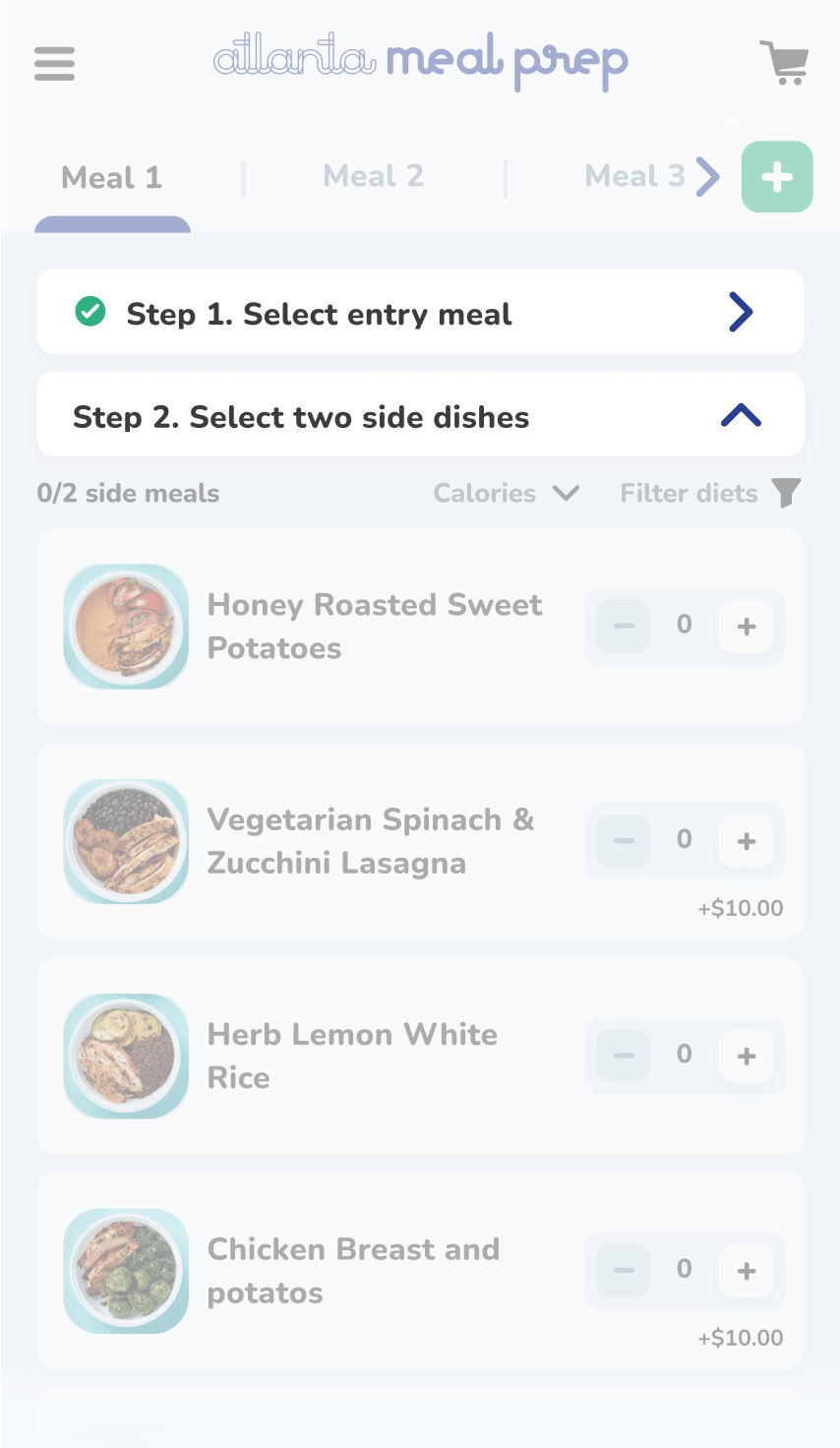
Context
I wasn't sure about mobile navigation patterns, choosing between bottom breadcrumbs and contextual accordions.
Solution
I threw an unmoderated prototype testing on 2 different groups of users.
Insight #2
Review meals before checkout
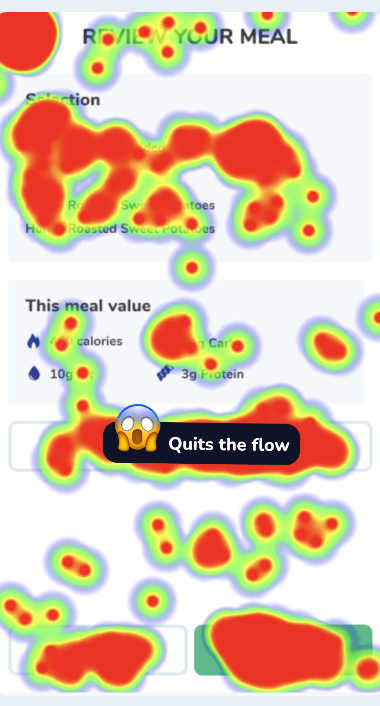
Context
Heatmap data suggested that when users were asked to go back and edit their selection on mobile devices, this led to 40% errors.
Main issue
The start over button sounds ambiguous.
Insight #3
Duplication flow
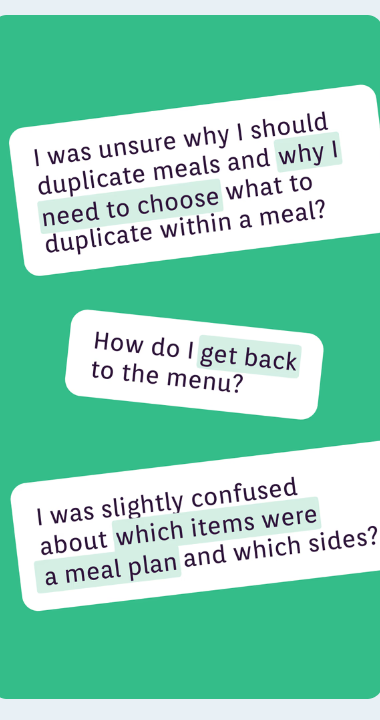
Users were confused why they have to select the menu items again.
Additionally it was visually not clear what is entry, what is side dish.
I've also noticed that people ignored the 'back' arrow on the header.
Results
SUS Before
SUS AFTER
But UX is never done…
Looking back here are the things I would love to improve today:
Improve accessibility
When working on this project I had basic knoweldge of accessbility . I would like to learn more about accesbility to improve on it.
Improve motion design
I would love to add more motion througout the expeirence to make interactions more pleasant and give the brand a premium feel.
Add XL breakpoint
Adapting the design for an extra big screen and adding one more XL breakpoint. I don't love how far-stretched the menu items are.
Have detailed development specs
Enhance the quality of the development specs by providing annotated screens from Figma in Github.
Next project
All-in-one system for managing Dalkin's service providers
Dalkin • 2025